Monitizer Framework
We describe the framework of Monitizer, including its different input types, its structure and the outputs.
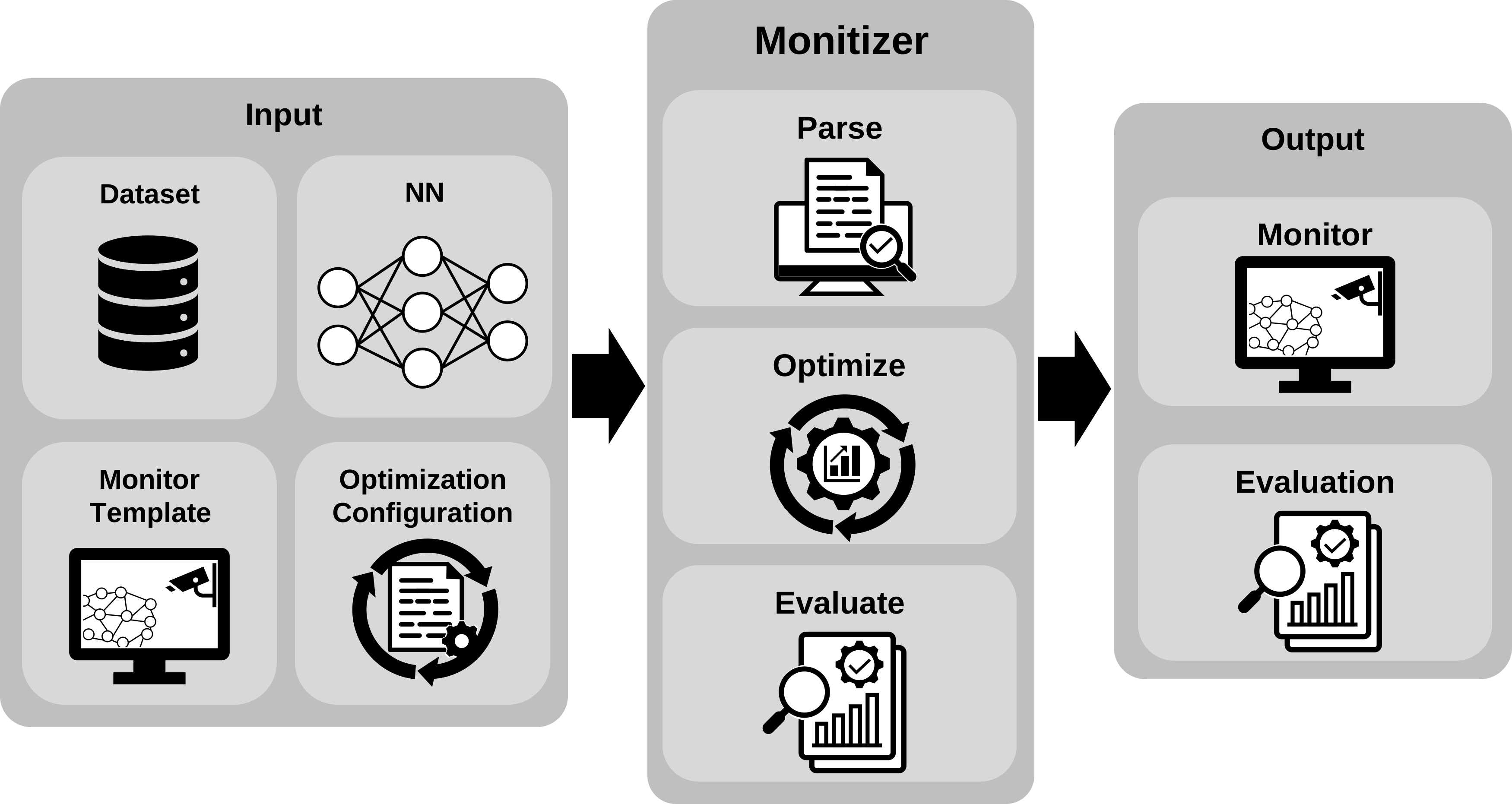
Monitizer is built around two core components: monitor optimization and monitor evaluation (as illustrated in the system overview diagram).
Neural network (NN) monitors are typically configurable and depend on both the underlying NN and the dataset used. Before these monitors can be evaluated, they must be set up and fine-tuned to fit the specific context. In Monitizer, such unconfigured monitors are referred to as monitor templates.
Monitizer streamlines this process by automatically optimizing these monitor templates. Once optimized, the framework evaluates them across various types of out-of-distribution (OOD) data, known as OOD classes, to assess their effectiveness.
Inputs
Monitizer requires the following inputs:
Trained Neural Network: A pre-trained model whose behavior is to be monitored.
In-Distribution (ID) Dataset: The dataset the NN was trained on.
Monitor Templates: Unconfigured monitor definitions that describe the structure and type of monitoring strategy.
Optimization Configuration: A definition of how the monitor is to be optimized.
We provide a detailed description of all input parameters in Input Parameters.
Process
Monitizer follows a two-phase process:
Optimization Phase: - Takes monitor templates and optimizes their parameters. - Uses ID and OOD data to tune each monitor for best performance (e.g., maximizing true positives, minimizing false alarms).
Evaluation Phase: - Evaluates optimized monitors on separate OOD classes. - Computes performance metrics (e.g., accuracy, precision, recall) for each monitor on various OOD types.
For details on the implementation, refer to Optimization and Evaluation.
Outputs
Upon completion, Monitizer produces:
Optimized Monitors: Ready-to-use monitoring configurations tailored to the given NN and data.
Evaluation Results: Performance summaries for each monitor, including statistical measures and OOD detection effectiveness.
Comparison Report (optional): A ranked list of monitors based on user-defined criteria (e.g., best F1-score or lowest false positive rate).
We describe the details of what Monitizer outputs to the command line and to files in Output.
Overview
You’ll find here the relevant files for the different parts of Monitizer.